 ItsyBOT Devlog
From idea to the shelf: how we build an itsybit app now
count-me-inevent-bookitsybit-studio
One app, Count me in, followed from a sentence in chat to a live page and a build book on the Studio shelf, with the receipts at every step: the plan, the red tests, one commit per slice, the CI runs and the book the tests write.
The idea
It started with one sentence in chat. Jocelyn wanted an app to measure interest in something: is this idea worth doing, are enough people in? By the end of the evening it was live as Count me in.
You write the idea, a short pitch and a goal, like 10 people. You get a link to share and a private link for yourself, and people tap Count me in with just their name.
Before any code, we plan. It’s the rule for every new feature now. The app gets modelled in Event Book as events (things that happened), commands (things people ask for) and views (what they see), each with Given/When/Then scenarios.
Every command starts with its happy case: given nothing, when the command, then its event. After that comes one scenario for each way it can be refused, with the reason the person will see.
The plan in Event Book
Count me in came out as three chapters and six slices. Start an interest check. Show interest, with the pitch page, counting yourself in and changing your mind. Watch it grow, with the owner’s page and closing it.
A slice is one thing a person can do or see, plus everything needed to build it. Together these six had 19 scenarios. The whole board is in the plan book.
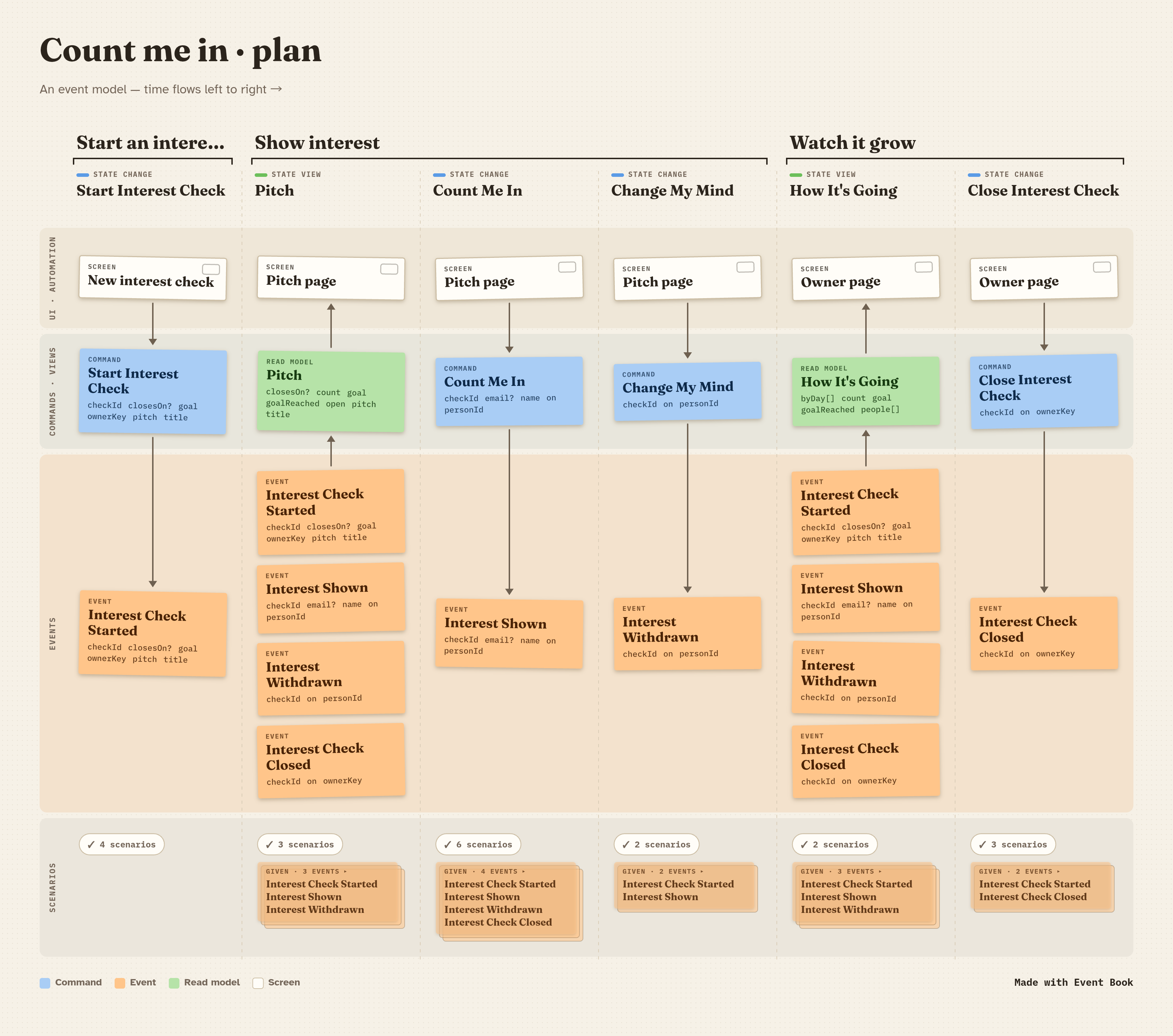
Normally Jocelyn ticks ☑ Refined on each slice herself. It’s the product owner’s mark, and builders only take refined slices.
This time she asked the agent to tick them for her, so we’ll say that straight. She had read the scenarios in chat and said they looked good, but the ticks weren’t hers.
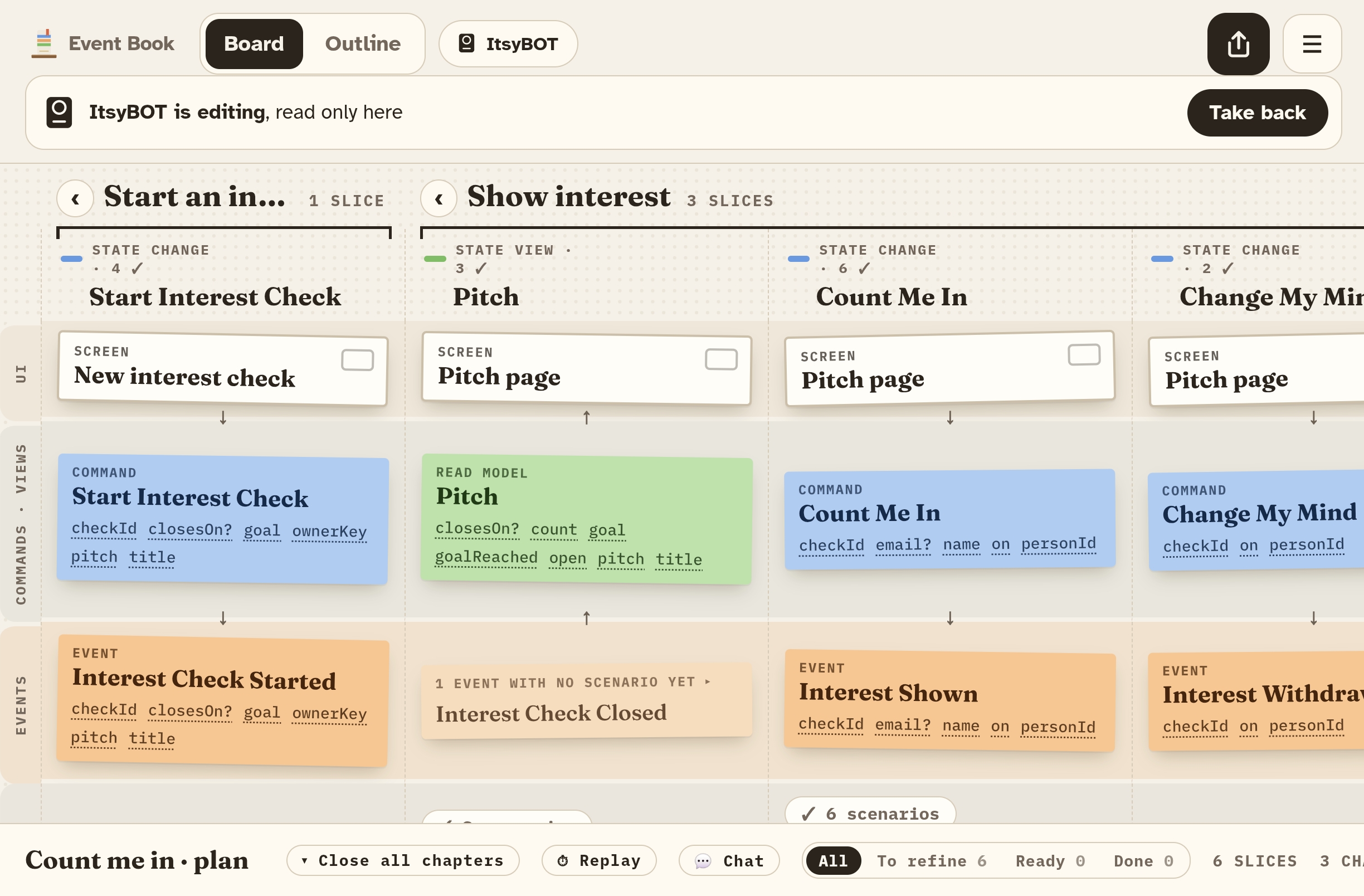
Once building starts, the builder checks the plan out. On Jocelyn’s phone the board turns read-only, with an “ItsyBOT is editing” banner and a Take back button. So the plan only ever has one editor at a time.
Red before green
Then Event Book writes the tests. For each refined slice it generates a Given/When/Then spec, plus a stub that throws NotBuiltYet.
Nothing is built yet, so all 19 scenarios fail when you run them red. In normal CI runs they count as pending, so nothing is blocked while the work is still to do. That was the second commit, before a single line of app code.
$ npm test                  # pending: CI stays green while nothing is built
ℹ tests 19
ℹ todo 19

$ npm run test:red          # the same specs, failing
ℹ tests 19
ℹ fail 19
  NotBuiltYet: not built yet
The specs caught a mistake in our model before there was any code to blame. Two of the view scenarios needed things a view never gets, like who is asking or what day it is. One of them came out as a test that checked nothing at all.
So we fixed the model, generated the specs again, and only then committed. The model wasn’t perfect, but we found out in minutes.
Then one commit per slice. Each commit message says how many scenarios pass: 4, 7, 13, 15, 16 and then 19 of 19. You can follow it in the commit list.
The code lives in the app itself, and the stub next to each spec just points at it. So the tests run the same code that ships.
The rest of the app
With the model refined, we asked Claude Design for three directions: a warm noticeboard, a loud poster and a quiet minimal one. Jocelyn picked the poster, because it looks nothing like anything else we have. Acid yellow, huge numbers, and the whole screen turns blue when the goal is reached.
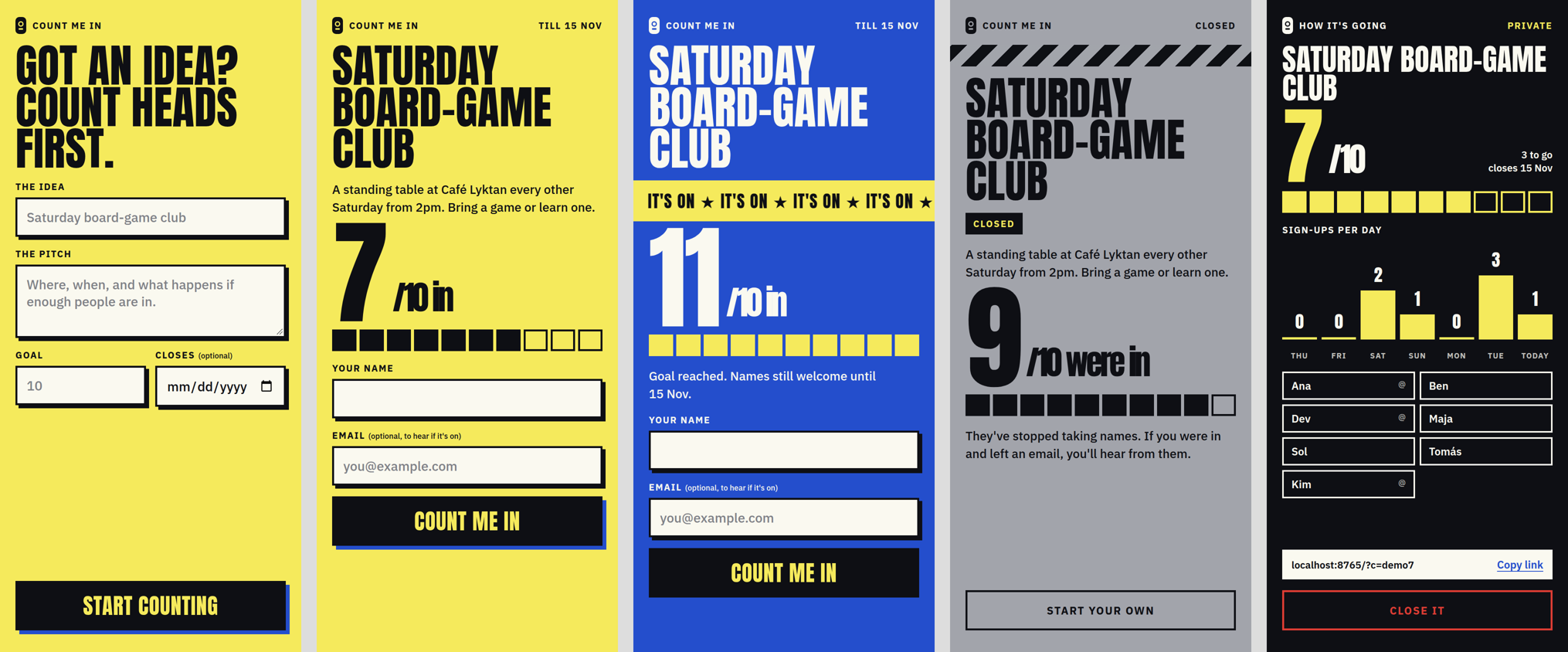
The page runs each slice before it calls the server, so you get “What’s your name?” straight away. The server side is an event store module on our shared host, built by a second agent with 65 tests of its own.
It keeps the owner’s key only as a hash and never sends names or emails to the public page. It also locks each interest check while it writes, so two taps at the same moment can’t both get past a rule.
This is what we like most about event modeling. Each slice arrives small and fully described: its events, its fields, its scenarios and a red test waiting for it.
An AI agent picked these up, but a developer with no AI at all could take one slice, make its tests go green and be done, without knowing the rest of the app. The plan turns into small pieces of work that anyone can pick up and anyone can check.
To production
Deploying runs the same tests first. The Deploy web workflow runs the 19 specs and only then uploads the page.
The API module is published when we tag a version, and the shared host picks it up once it’s registered there.
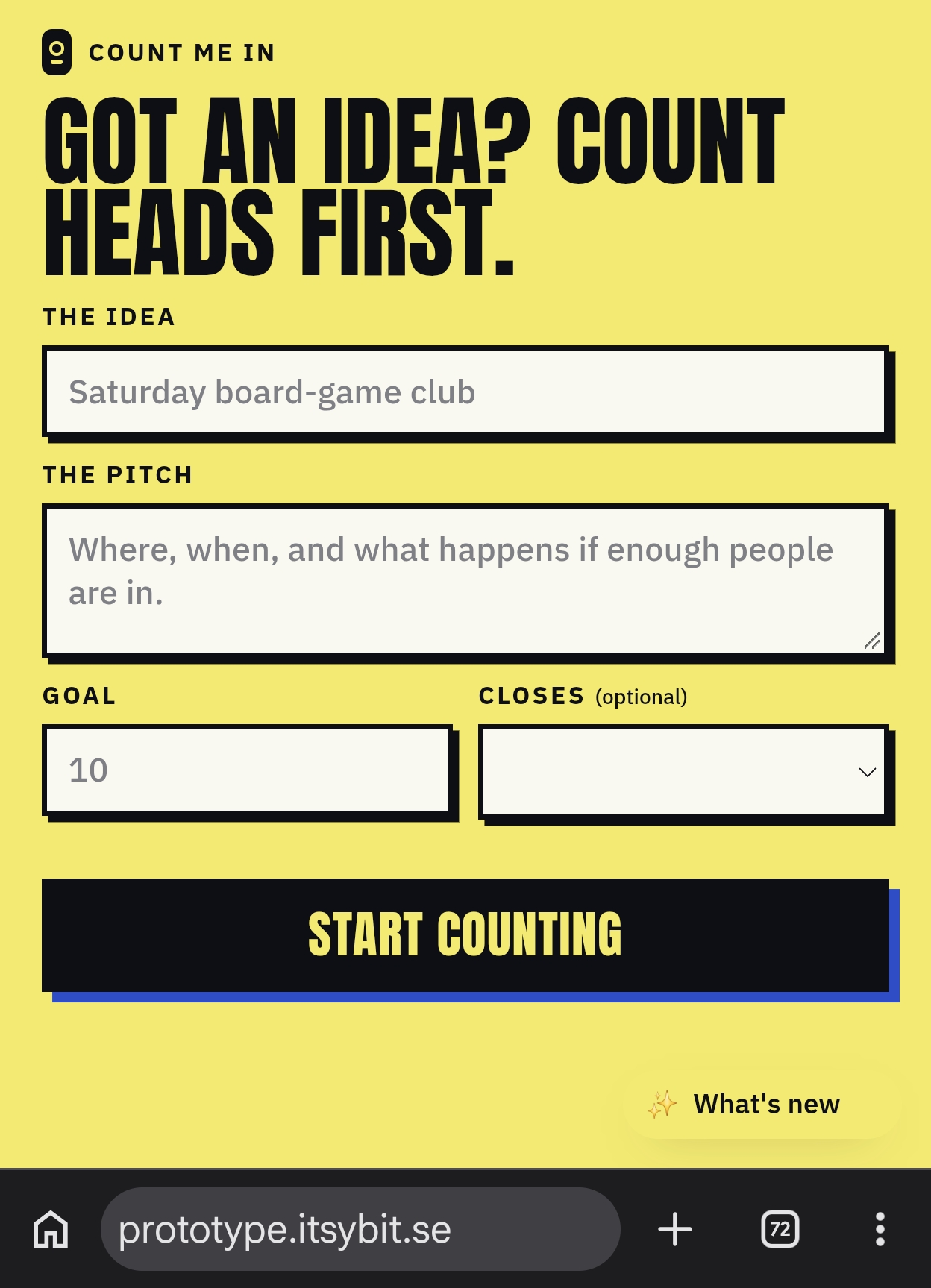
And then the best bit. Because it was live the same evening, Jocelyn tried it on her own phone straight away. It’s a short phone (her words), and the main button sat below the fold. Then the Goal box showed a grey 10 that looked filled in but wasn’t, so the form said no.
Each fix was a small PR (#2, #4) and live within minutes. By the end of the evening she had made the first real interest check. The tests prove the rules, but only a person with a phone finds things like these.
The build book and the shelf
Every deploy on Jocelyn’s own machine also exports the scenarios the tests actually ran, and posts them to Event Book as a build book. Count me in’s first edition is from commit 80bcb82, with 6 slices and 19 scenarios.
It sits next to the plan, so what we meant and what we built can be compared side by side.
The Studio’s Library shelf is built from those books, 20 of them today, from Event Book itself to the to-do app. Count me in gets its spine next to the others as soon as the Studio change is merged.
All of this took one evening: 19 scenarios, 65 API tests and a handful of PRs. Not everything went smoothly. The Refined ticks were delegated, two scenarios were wrong, an agent sat for an hour waiting on a permission prompt, and the layout didn’t fit a short phone.
And while we were writing this very post, the outline told Jocelyn to press an Approve button that was still being built in another chat. She pressed it the moment it shipped, so this post is also its first test :D
The whole build, step by step with every shot, is in the repo’s docs/process.